iRakyat
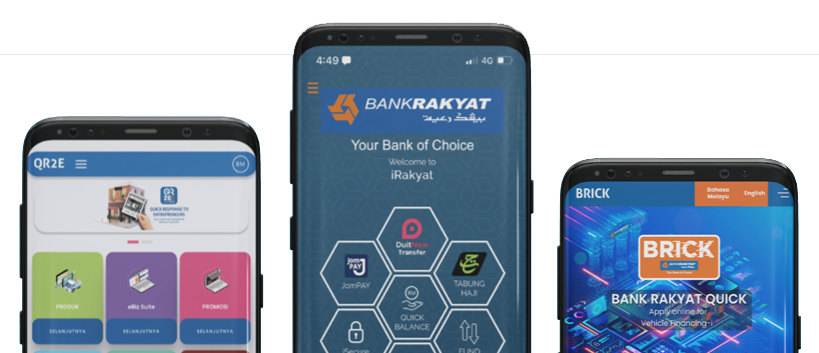
| Services | Functions |
|---|---|
| My Profile |
|
| My Favourite | Register/Selection of Favorite Chosen Account |
| Account Info | Overview of:
|
| Payment Service |
|
| Fund Transfer |
|
| Scheduled Payments | Scheduling fund transfer/bill payment/repayment/credit cards |
| Financing |
|
| Card | ATM card cancellation |
| Credit Card |
|
| Reload |
|
| Remittance | Overseas Telegraphic Transfer |
| Product & Services Details |
|
| e-Application |
|
| e-Status | Enabled iRakyat customers to monitor their financing application status from day one of submission till approval is given. |
| Transaction Authorisation Code (TAC) |
|
| Frequently Asked Question/FAQ | Examples of frequently asked questions related to iRakyat |
| 1PAY |
|
| Direct Debit | Direct Debit Application Status |
| Other Services |
|
| Operating Hours | 24 Hours |
REGISTRATION WITH TEMPORARY ID
You may register your iRakyat account through the following process:
Step 1: Download the iRakyat Mobile Banking from your respective device's authorised application store (Apple App Store, Google Play Store or HUAWEI AppGallery).
Step 2: Visit nearby Self-Service Terminal (ATM) or Call Bank Rakyat Contact Centre at 1-300-80-5454 (Local) or +603-5526 9000 (from Overseas) and request for Temporary ID.
Note: Below are the steps:
|
Self-Service
Terminal (ATM) |
Bank
Rakyat Contact Center: |
|
1. Insert
your Debit Card or Credit Card into ATM machine slot. 2. Select preferred language. 3. Insert
your Card PIN Number. 4. Select
‘ATM’ from Main Screen. (This applies to customers using Cash Recycle
Machine.) 5. Select
‘Bank Rakyat’ option from Main Menu listing. 6. Select
‘Others’ from sub menu listing. 7. Select
‘Internet Banking’ from Main Menu. 8. Select
‘Request Temporary ID’ from menu listing. 9. A
temporary ID will be displayed on the screen, and the temporary ID will also
be sent as an SMS notification to the customer's registered mobile phone
number. |
1. Select
your preferred Language and Press ‘2’ for Internet Banking. 2. Press
‘1’ for Individual Customer and Press ‘1’ for First Time Registration. 3. Our
Bank Rakyat Contact Centre will assist you to generate the Temporary ID. |
Customer shall receive SMS notification on the Temporary
ID request.
| Services | Charge per transaction |
|---|---|
| Intrabank Fund Transfer | Free |
| Interbank GIRO (IBG) | RM0.09 |
DuitNow:
|
|
| Alert Notification via SMS | RM0.20 |
| Items | Channels | |||
|---|---|---|---|---|
| Intrabank Fund Transfer | Interbank Giro (IBG) | DuitNow | ||
| Daily transaction limit (RM per day) | 3rd party Account: RM30,000 Own Account: No Limit | RM50,000 | RM50,000 | |
| Future-dated payments | Yes | Yes | Yes | |
| Services | Transaction Time | Received by the Beneficiary | Refund Time |
|---|---|---|---|
| Intrabank Fund Transfer | Monday – Friday | Immediately | Not Applicable |
| Non-business days | |||
| Interbank GIRO (IBG) | Monday-Friday | ||
| Before 5:00 am | Same day By 11:00 am | By 5:00 pm | |
| 5.01 am – 8.00 am | Same day By 2:00 pm | By 8:20 pm | |
| 8.01 am – 11:00 am | Same day By 5:00 pm | By 11:00 pm | |
| 11:01 am – 2:00 pm | Same day By 8:20 pm | By 11:00 am, next business day | |
| 2:01 pm – 5:00 pm | Same day By 11:00 am | ||
| After 5:00 pm | Next business day by 11:00 am | By 5:00 pm, next business day | |
| Non-business days (Saturday, Sunday and Federal Territory Public Holidays) | |||
| DuitNow | Monday – Friday | Immediately | Not Applicable |
| Non-business days | |||
Click Here to read iRakyat FAQ
Warna Teks
A A A ASaiz Teks
A+ A A-